Google docs and EtherPad in SL Viewer 2

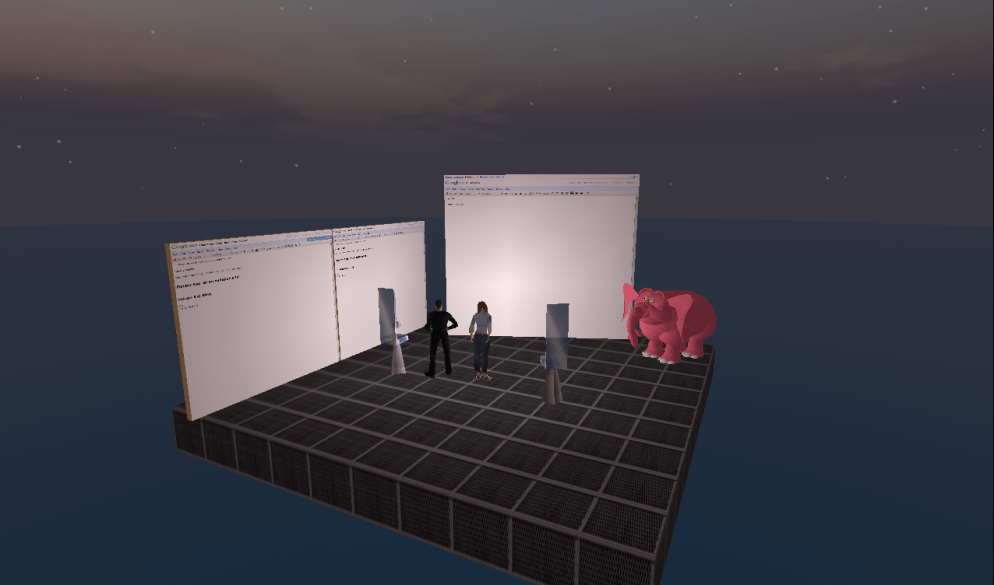
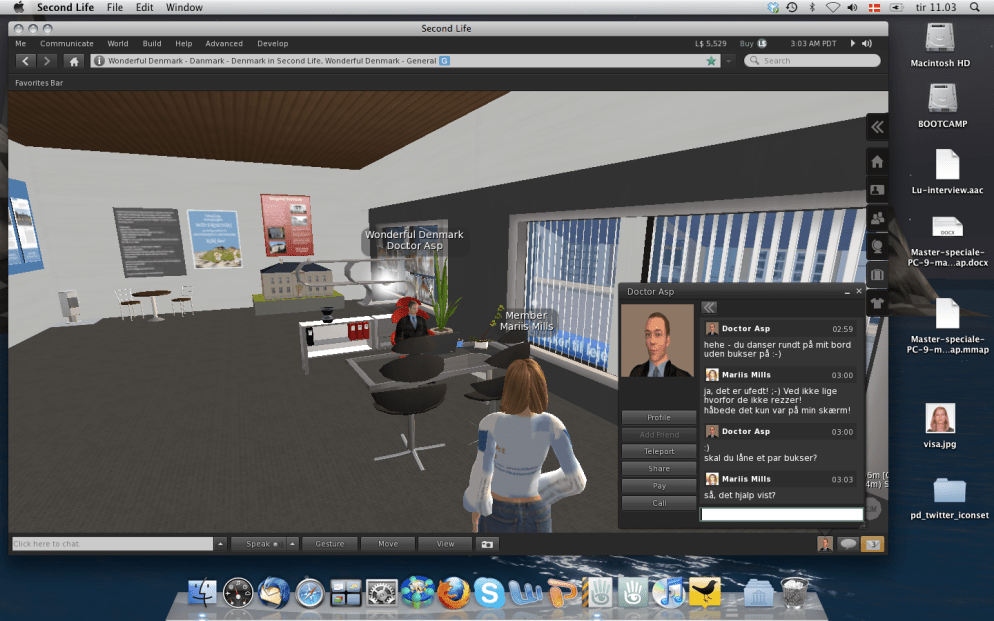
Yesterday my master student, PerSecond and I continued our test of Shared Media in the new SL viewer. When we first tried it out last week, we didn’t have much success, but my ever so helpful landlord, Doctor Asp had some ideas, and so I started off by testing it with him on my holodeck.


In Asp’s office – Asp is official Linden Lab SL solution provider and I highly recommend him :-)


Life in Beta = testing, testing, testing …

Later in the evening I met with PerSecond for our weekly session and asked him to set up a prim in his private home – not in his LL home, where nosy neighbours might disturb (none of us have yet found the time to check out privacy and security settings in our LL homes).

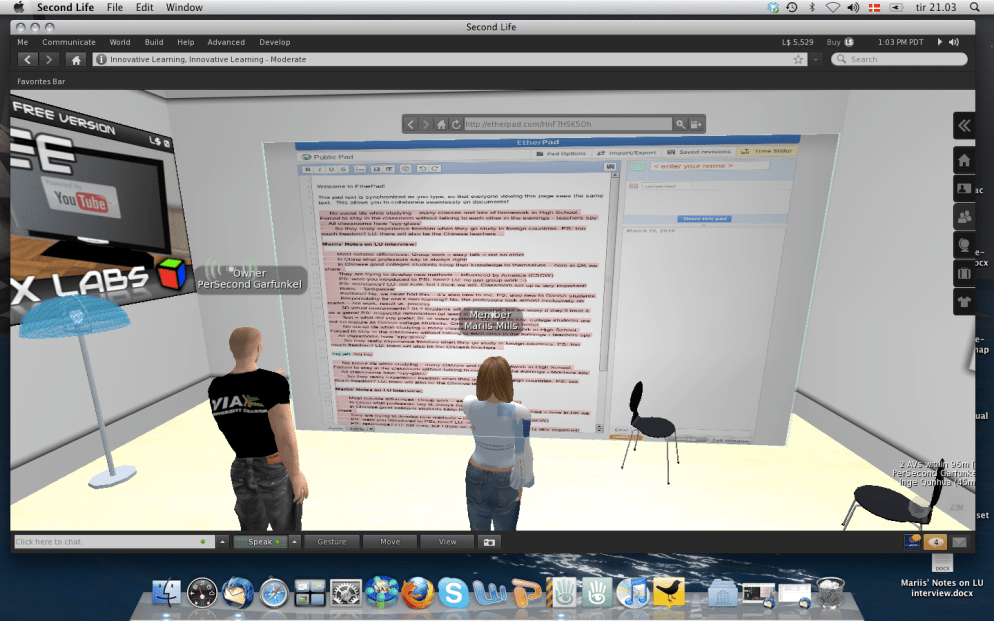
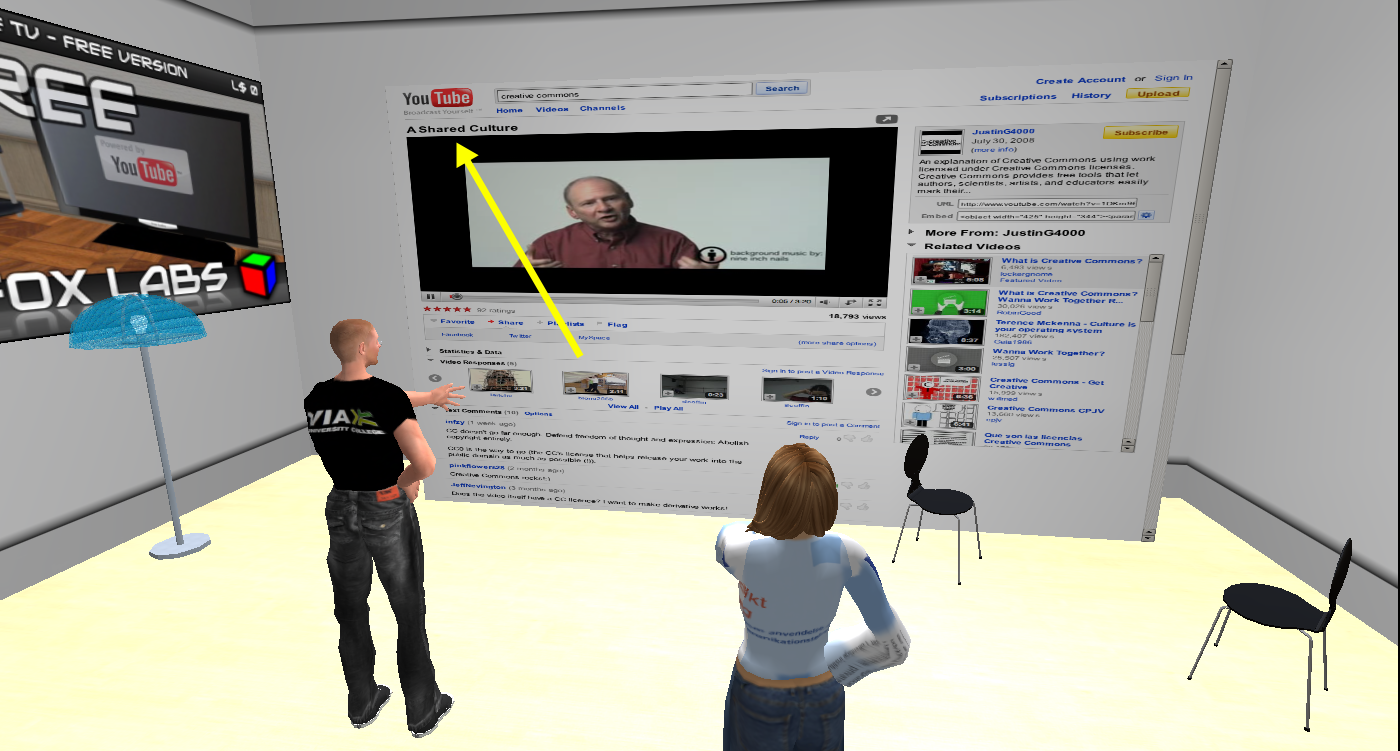
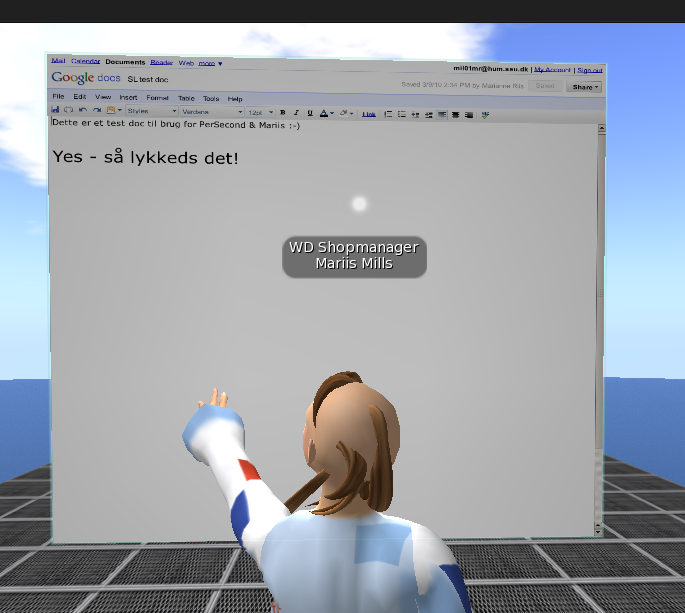
We succeeded in setting up both Google docs and EtherPad, writing in them real time (and seeing it without having to reload!), but ended up most satisfied with the EtherPad doc that loaded much quicker on our machines. PerSecond works in Windows, so we get to test both platforms. We continued testing some YouTube videos while trying to figure out what to do about security settings and discussing the most appropriate use in a teaching and learning situation.

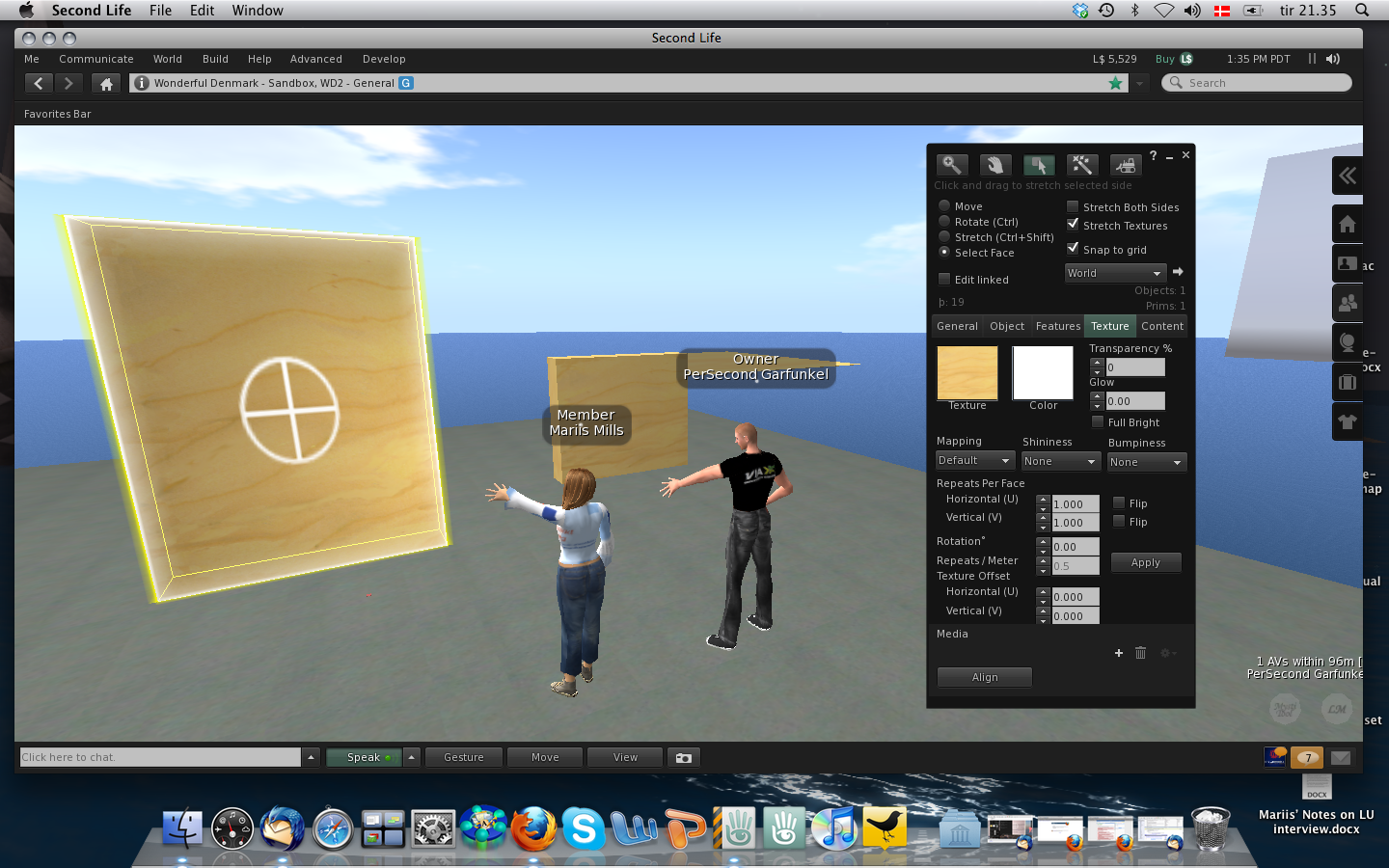
Since the docs we tested were completely public our next step was to test security settings to see if in any way we could control access and interaction, and so we went to a sandbox, where both of us had building rights and set up new prims.

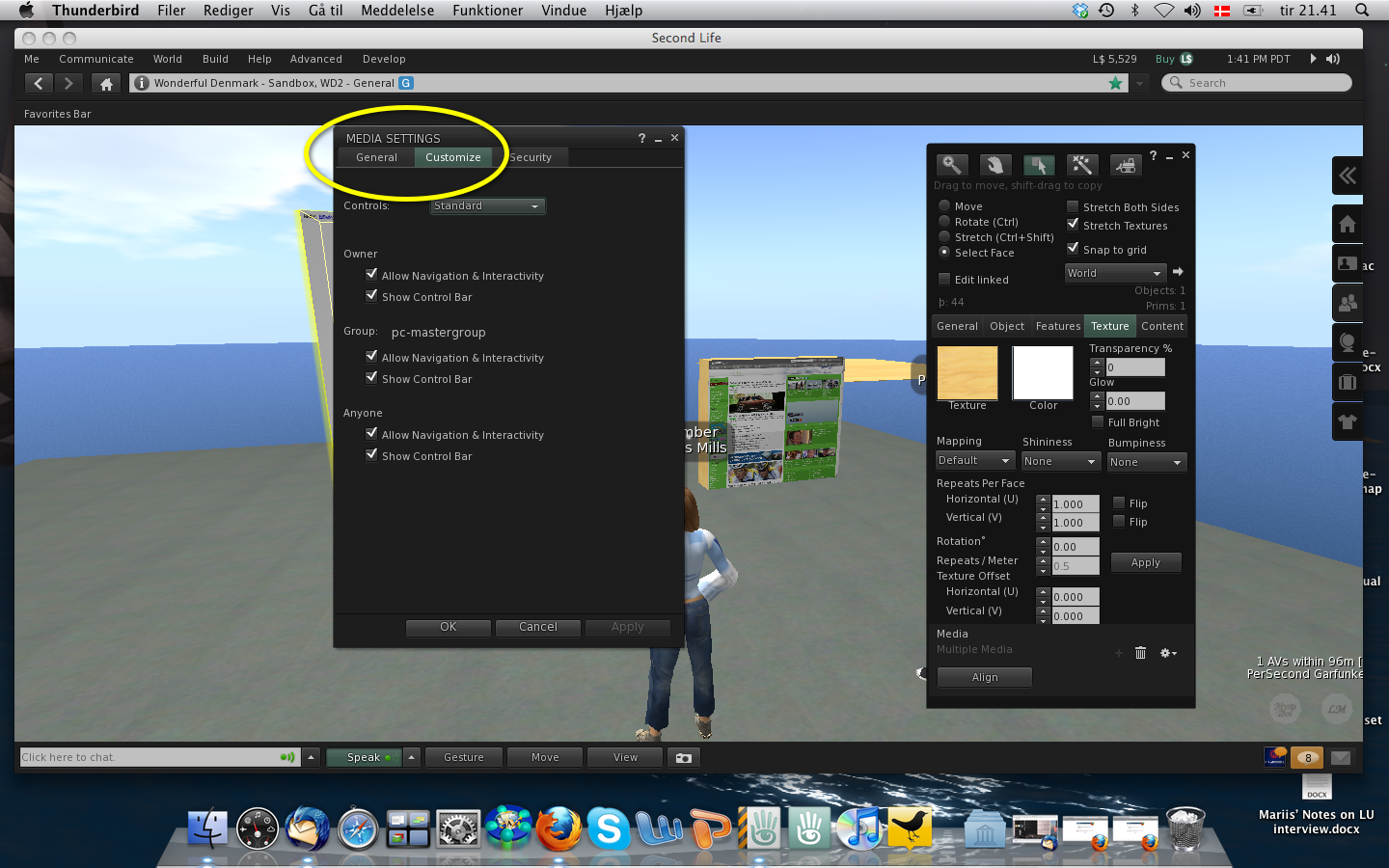
Under Customize in the Media Settings it is possible to change control of the prim, and we tried out several settings thinking it would be possible to limit control to our group.

In this phase of the testing we needed to bring in our alts; Placebo and Memo, who were not members of our group, and so we logged in and out several times trying out different combinations.

Despite our efforts we did not succeed in limiting control to our group. When the prim was controlled by Owner only, we found that Anyone and Group were restricted to clicking on links (but with automatic reload to the page chosen by Owner), but we had hoped it would be possible to set this for the group, so we’ll continue testing … Now, neither PerSecond nor I are experienced builders, so we may very well be missing out on some obvious points, so if anyone reading this has constructive advice it would be greatly appreciated :-)

/Mariis

Setting up for Shared Media test in SL viewer 2

This semester I have the pleasure of supervising, PerSecond a Master student from The Master programme on ICT and Learning (MIL). In his Master thesis PerSecond will investigate the possibility of using SL as platform in a Danish-Chinese PBL collaboration he and his colleagues at VIA University College are involved in. PerSecond and I are meeting in-world for our sessions and today I went in to set up for a test of the new Shared Media feature in SLV2.

For unclear reasons* SLV2 really runs slowly on my machine, so for a while there I had to work as a cloud – and let me tell you; that’s a bit distracting!

Anyways, I did mange to set up for a test of google.docs … though I seem to have a recurring “bad-hair-day” ;-)

I’m hoping the problems I experience won’t influence our test later tonight, so that I can get back to our experimentation in a future post …

/Mariis
*) I did read Gwyneth’s excellent post on improving Mac performance, but I can’t force Texture Memory beyond 128, and GL tot stays at 67/192 … so I’m thinking it may be a) a PICNIC error or b) my (still) malfunctioning Mac :-(

First impressions from a Twitter newbie

After more than a month of computer problems, incl. malfunctioning OS, lack of permissions, ruined logic board, slow support and lots of frustration I’ve been reinstalling programmes, applications and services, incl. Twitter. I’ve actually had a Twitter profile for quite some time, but I’ve been reluctant to use it – not sure why, when and how? But yesterday, as I logged in to check my account, I noticed a lot of buzz concerning a live-streamed event – TEDxNYED – and since the list of speakers seemed interesting, I decided to hang around. As it turned out to be a very interesting learning experience, I thought I’d use this post to reflect a bit on my newbie impressions …

Why use Twitter?
Well, the jury is still out on that question. My main concern is whether I really need more information? It may seem a bit strange, but I’m already experiencing some information overload from existing mail lists, the blogsphere and my other networks. At this point in time in my PhD-project I really should be aiming at convergence, but on the other hand the constant drawback of living in a connected, digital world is the fear of missing out on important information. As always information management is key and I’ll return to that. Even though I’m a newbie, I have of course been listening in on colleagues’ discussions and research, comments in the media and especially in the blogsphere etc., but I have to admit that it wasn’t until yesterday’s experience that the use of Twitter became valuable to me, which leads to the next question.

When to use Twitter?
In yesterday’s event it was possible to use Twitter and Facebook as backchannels during the live-steamed presentations. Despite newbie problems trying to figure out exactly “how to” and also some language constraints (Twitter and general Anglo-American idioms and lingo), I did find the Twitter chat valuable. I’m familiar with the backchannel phenomenon from SL, where especially the Metanomics show makes really good use of the backchat (via the so-called chatbridge) to democratize and expand the discussions, and in my PhD I’m focusing on promoting this particular way of communicating in my in-world teaching sessions. Now, I’m not sure if yesterday’s speakers actually followed the Twitter chat real time (they seemed to focus on the local f2f audience), but after the presentations several of the speakers continued discussing and elaborating, and as I understood from experienced Tweeters this is common practice. George Siemens (one of yesterdays speakers) wrote an interesting piece on “frustrating (= non-participative, non-sustainable) conferences” and together with Tittenberger and Anderson, he wrote an article on how to improve live participation and sustainability of conferences – and yesterday was the first time I had a really good experience with this (outside SL) thanks to Twitter. There can of course also be disadvantages to this backchannel phenomenon as expressed and experienced by Danah Boyd in this much debated post, but I did see an interesting potential and I’m sure I’ll be logging in to Twitter for future events.

However, I’m not so sure that I’ll start using Twitter on a daily basis – at least not for now. I definitely need to learn more about the many possibilities, so for a while I’ll settle for being a lurking participant in the periphery until I get a better feel for the many accompanying tools one can choose to use in relation to Twitter, and that leads to the final question.

How to use Twitter?
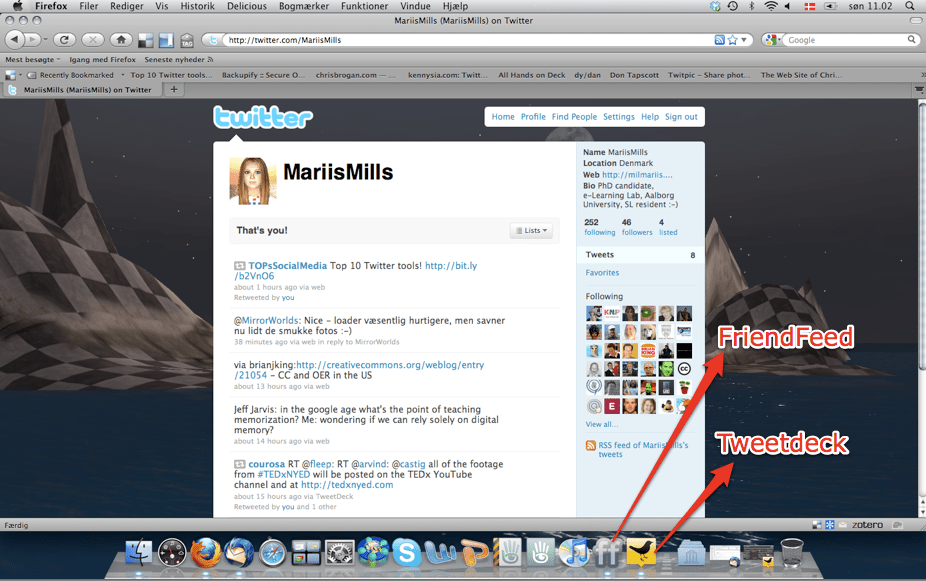
Evidently writing a max. of 140 characters is not complicated – it’s the management/storage of information that can be a little tricky, not least because there are so many different accompanying tools to choose from. When I started out yesterday, I already had FriendFeed installed and I like that probably because I’m used to pop-ups from my Thunderbird mail.

During the event I started following more people, and when my SL/FB friend BevanWhitfield noticed me, she quickly recommended Tweetdeck, but also mentioned that I should be careful in joining too many groups. And so I installed Tweetdeck, but it’s a much more complex tool than FriendFeed. I had a look at SIGs related to e-learning and there were soo many! And which one do you choose then? Another friend of mine made a “mention” in Tweetdeck and I wasn’t sure how to reply. A nice feature was the ability to synchronize with other accounts such as FB, but here I’m wondering if that’s really what I want to do. There’s bound to be a lot of redundancy, and I need to figure out how to handle that.

In sorting the information hashtags (#) seem to be part of the solution, but this is also something I need to learn more about. My SL/FB friend, ldinstl_chimera, pointed my attention to Backupify, which may turn out to be a great service for storage and management, whereas Arielion Clawtooth, mentioned Twapperkeeper, so there are plenty of new things to figure out. Incidentally, today TOPsSocialMedia tweeted a list of top 10 Twitter tools.

So to summarize my first impressions; it was fun, engaging and somewhat confusing and overwhelming – just as one would expect a newbie experience to be :-)

/Mariis
Case MIL09: Student analysis of SL – part 3

PerSecond

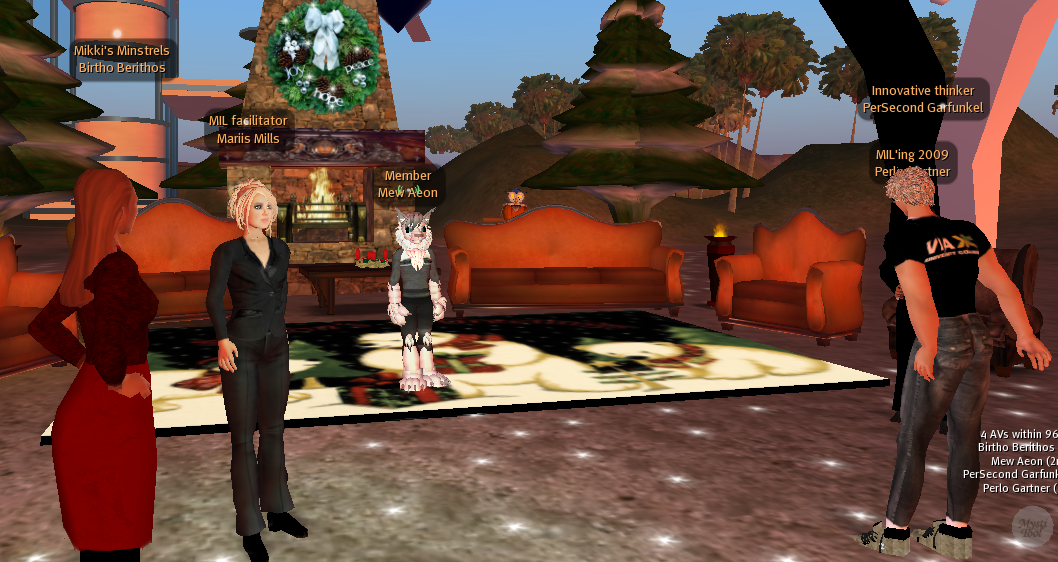
The third student analysis of SL was conducted by PerSecond and he had asked us to meet him at our regular meeting place in front of the fireplace on MIL’s island, but was otherwise very secretive about his presentation. As we were waiting for the other students to turn up we small talked about our avatars’ clothes – a topic that seems quite popular for both gender in-world. While it doesn’t make much sense to discuss the in-world weather, I do think the interest in the avatar appearance stems from a deeper need to figure out and find your way with the new identity.

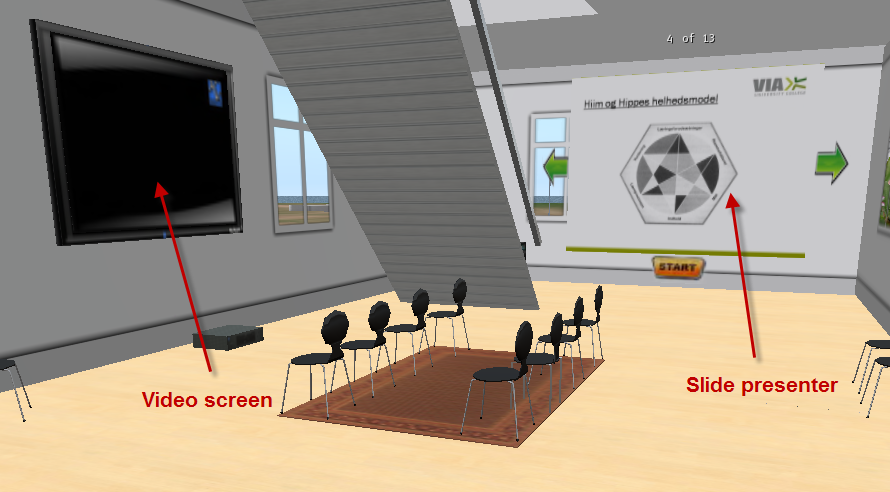
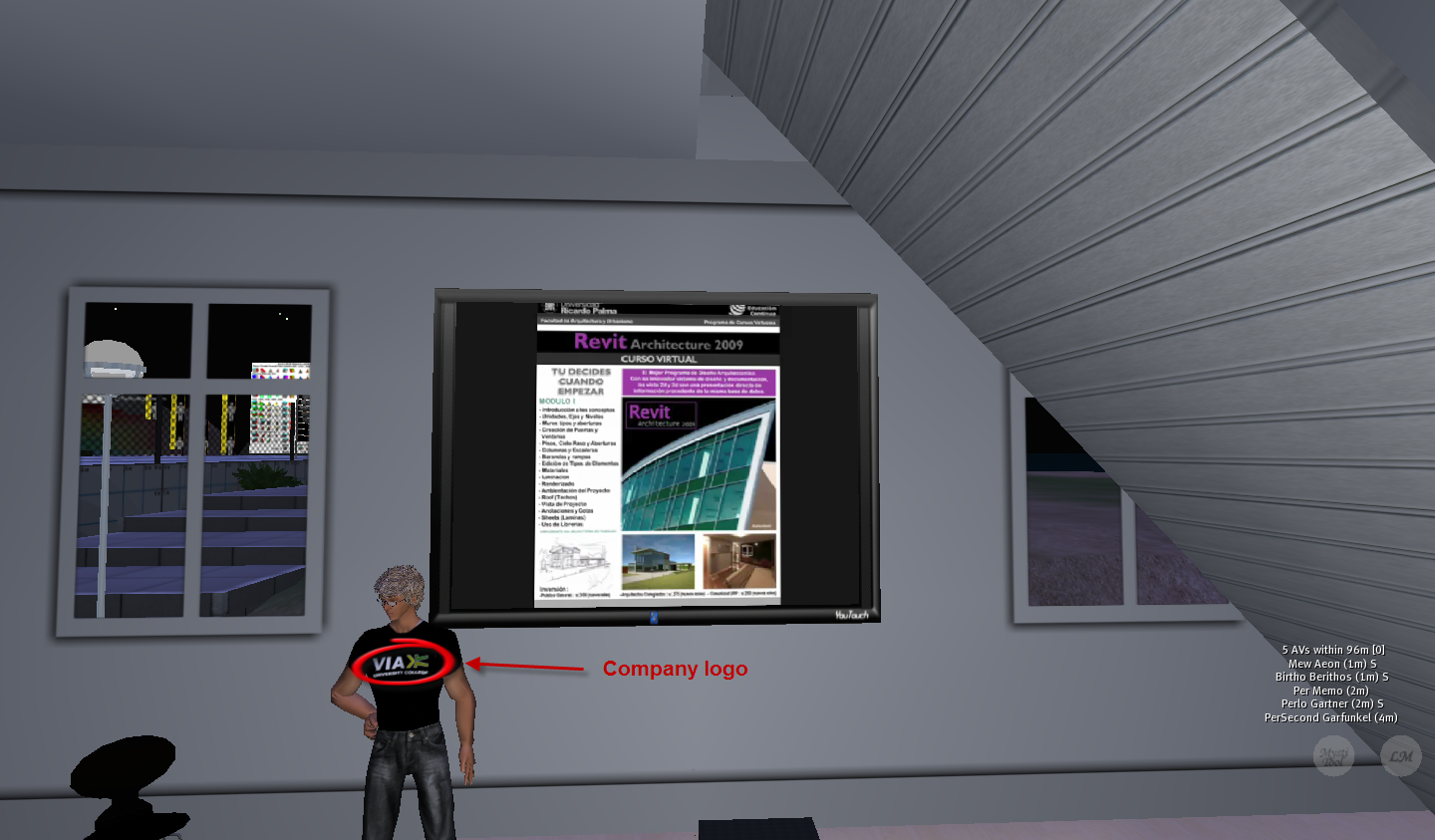
PerSecond was actually reluctant to change his appearance from the default look, when he first entered SL, because he didn’t want to put emphasis on that part, but as he learned that caring for your avatar’s appearance signals that you care for the world and are willing to make an effort to learn how to master the medium, he changed his mind. PerSecond told us that had recently received a t-shirt with his company logo, which enabled him to identify more with his otherwise estranged avatar, and as we shall see identity was part of the theme for PerSecond’s presentation. We then headed off to what turned out to be PerSecond’s own home on the Innovative Learning Island.  RL PerSecond works at VIA University College that offers a combination of vocational, higher and further education and they’ve had a presence in SL for quite some time, but it wasn’t until PerSecond entered the MIL course and thus was forced to spend time in-world that he became convinced of the teaching and learning potential of virtual worlds. For his presentation PerSecond had prepared an interesting set-up with a video screen on one wall and a slide presenter on another – a challenging set-up if you don’t master the camera:

Like Perlo & Francine, PerSecond also chose to use the Didactic Relation Model (showed above on the slide presenter) as basis for his presentation and analysis, but he also pointed to other relevant models and theoretical foundations and combined it with video clippings from a couple of other worlds most notably Blue Mars and Hipihi. PerSecond’s primary target group would be building construction students, and one of the main reasons as to why he has been hesitant with the use of SL, is the lack of possibility to integrate other 3D modeling apps in SL – something which Blue Mars offers e.g. through support of content creation tools like 3DSMax.


PerSecond showing another important tool: Revit

As part of the presentation we also went on a short tour to see part of the construction site that recently won the annual Danish e-learning award. It is one of the rare sites that also make use of relevant audio – as you enter the building you hear a lot of very loud background noise that would be normal at a construction site.


Be careful not to step on any of the dangerous cords on the floor!

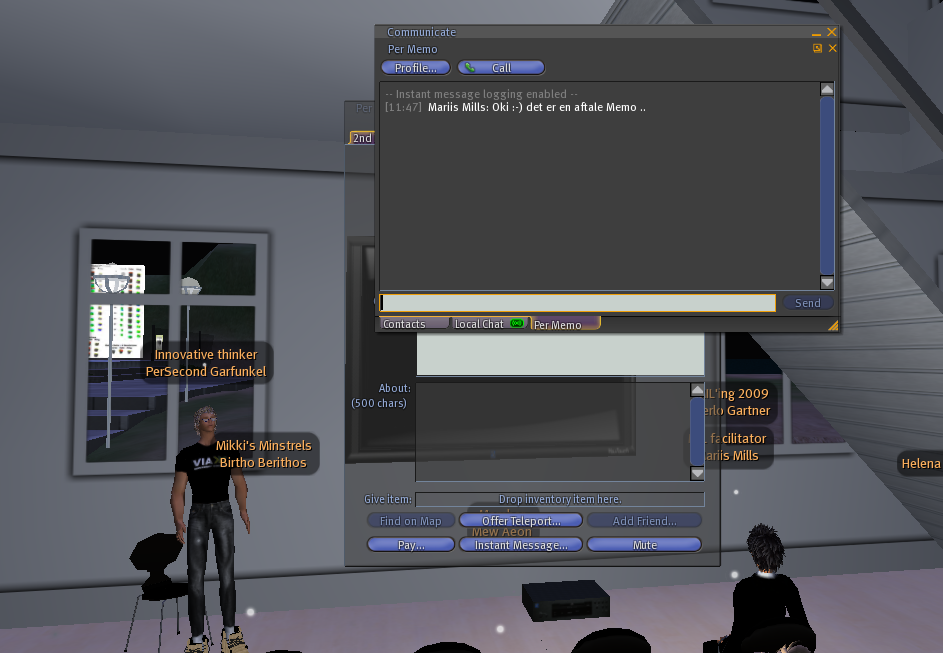
Using SL for work place training is obviously what appealed to PerSecond and he also envisioned different types of role play to enhance the professional identity of the students.  There are already different outfits for the avatars to wear near the construction site, so that the students could enact different professional roles, but as another example of role playing PerSecond had prepared a little surprise for us in the shape of a second avatar, Per Memo. Per shifted between the two avatars and we were asked to comment on the presentation on IM with Memo.

PerSecond pointed to another interesting advantage of using SL as part of this training which had to do with time and flexibility. Here in Denmark it is unfortunately often difficult to find sufficient internships for our students in the vocational sector and SL could provide an excellent supplement and enable the “school part” of the education to be closer to RL practice – something which most students undoubtedly would appreciate. The ability to leave the setting and return at any time convenient for the students also would provide more flexibility.

Given the fact that PerSecond was reluctant to use SL just a few weeks ago, I was quite impressed by his presentation and not least his willingness to explore and try out the many affordances of the medium. Per will continue his work with SL as part of his Master Thesis in the spring where he may be looking into the possibility of using SL as platform for work they are doing at VIA with Chinese collaborators.

/Mariis


A model for 3D remediation – version 2’ish

The creation of my model for 3D remediation is clearly a work in progress…

As I’m starting to assemble literature and other resources that have influenced my thinking and may be relevant for the theoretical foundation of the model I’ve been reviewing the so called Metaverse Roadmap Overview (MVR 2007). Back in February 2008 I had the fortune of participating in the first MetaverseU conference organized by Henrik Bennetsen and others from Stanford Humanities Lab, and this was the first time I was introduced to the MVR.

The MVR focuses on defining and exploring potential pathways to the 3D web by creating a roadmap consisting of 4 Metaverse scenarios. As a starting point the MVR defines metaverse as follows:

the convergence of 1) virtually-enhanced physical reality and 2) physically persistent virtual space. It is a fusion of both, while allowing users to experience it as either.

There is no single, unified entity called the Metaverse—rather, there are multiple mutually-reinforcing ways in which virtualization and 3D web tools and objects are being embedded everywhere in our environment and becoming persistent features of our lives. (…). In sum, for the best view of the changes ahead, we suggest thinking of the Metaverse not as virtual space but as the junction or nexus of our physical and virtual worlds.

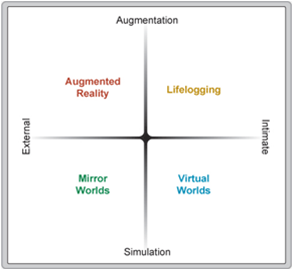
Derived from multiple inputs, enabling trends, constants and a survey among other things, the group of authors behind the MVR came up with 4 scenarios based on “two key continua that are likely to influence the ways in which the Metaverse unfolds: the spectrum of technologies and applications ranging from augmentation to simulation; and the spectrum ranging from intimate (identity-focused) to external (world-focused).” In the MVR augmentation refers to “technologies that add new capabilities to existing real systems; in the Metaverse context, this means technologies that layer new control systems and information onto our perception of the physical environment.”, whereas simulation refers to “technologies that model reality (or parallel realities), offering wholly new environments; in the Metaverse context, this means technologies that provide simulated worlds as the locus for interaction.”. The combination of these continua leads to 4 different types of Metaverse technologies; 1) Virtual worlds, 2) Mirror worlds, 3) Augmented reality and 4) Life Logging as depicted below:


4 Metaverse scenarios by MVR 2007

Though I find these 4 scenarios very interesting, I’m somewhat puzzled by the augmentation-simulation continuum – mainly because I don’t see them as two opposite conditions which usually is the definition of a continuum. A flight simulator would for instance draw on both conditions in trying to simulate the experience of flying, but doing it as realistically as possible and sometimes with the use of HUDs. Now, my puzzlement may stem from poor understanding of the English language and native connotations of which I’m not aware, and the authors behind the MVR do state that the scenarios are partly-overlapping.

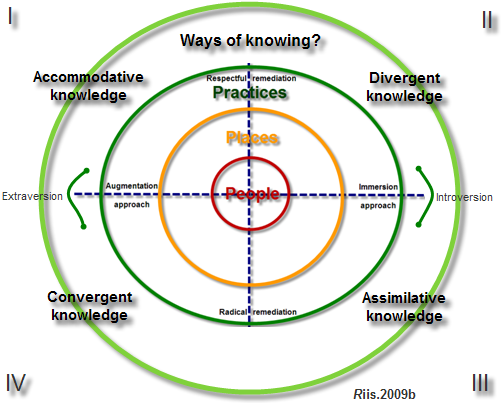
In any case, it makes more sense to me to place augmentation on a continuum with immersion. It should also be noted that my model aims at illustrating 4 possible strategies for remediation within 3D virtual worlds which means my focus is narrower only concerned with one of the four technologies in the MVR. The second continuum in the MVR between external and intimate makes a bit more sense to me, though again I would prefer a different terminology inspired by Jung (1920)’s psychological concepts of extraversion and introversion. The reference to Jung is by no means incidental but leads to another theoretical inspiration, namely the Theory of Experiential Learning by David A. Kolb (1984) by which I have previously been inspired in my PhD workings. In relation to his classic “Learning cycle” Kolb argues for a transformation dimension of learning consisting of two polar modes, respectively extension and intention. At this point Kolb is clearly inspired by, but chooses to go beyond, Jung’s extraversion-introversion concept, and even though I often find myself highly inspired by Kolb’s work, I’ve decided to maintain Jung’s original terminology in my own model … for now. I have, however also started to investigate the possibility of including Kolb’s 4 ways of knowing which would result in a 2. version of my model looking like this:

… um!? As tempting as it is trying to make the “whole world” fit into one little neat model, I have to say that I’m not sure about this at all – is it feasible to merge the two models? And perhaps even more important; is it desirable? This experiment is primarily based on intuition and I will need to further investigate this as part of my theoretical work and subsequent data analysis, but as part of my own learning and research process, I needed to get this version out of my head …

/Mariis